
Knockround · 7 days free, no card needed
Take card payments without a card reader
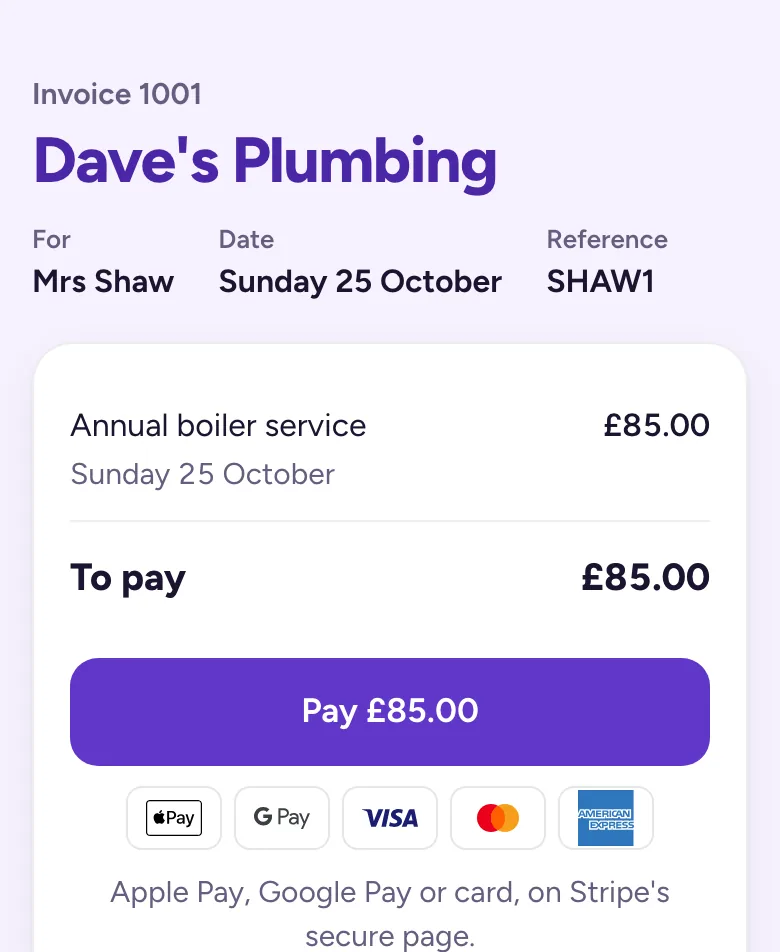
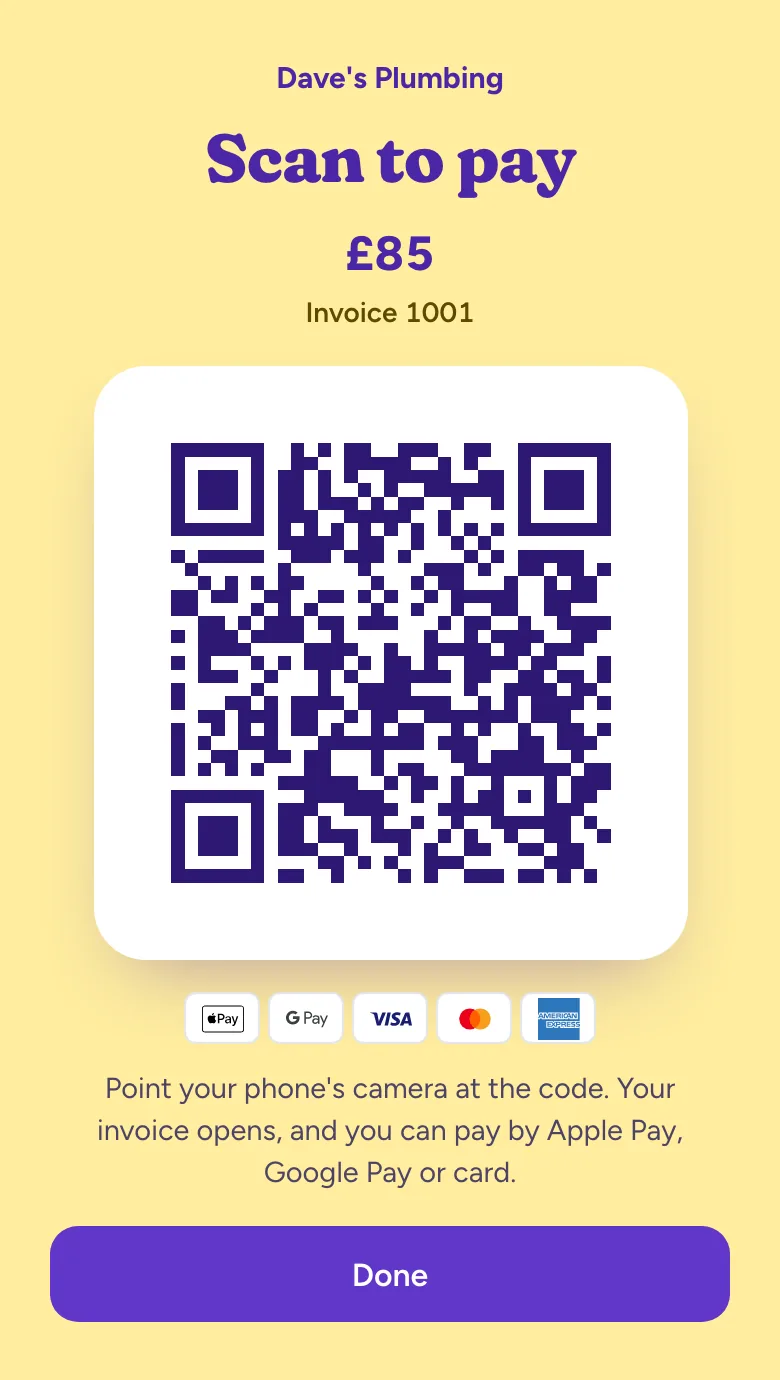
Every invoice has a Pay button. Send it by WhatsApp, text or email, or show the QR code at the door, and your customer pays by Apple Pay, Google Pay or card on their own phone.
7 days free with no card needed, then £19.99 a month or £199 a year. No contract. See pricing.
How it works
- Make the invoice. Who it's for, what for and how much. It's numbered for you.
- Send it, or show the code. WhatsApp in one tap, a text, an email, or a QR code on your screen at the door.
- They tap Pay. Apple Pay, Google Pay, Visa, Mastercard or Amex, on Stripe's secure page.
- It's paid. It marks itself paid in Money, and Stripe pays it into your bank.
Your customer uses their own phone, so there's nothing to buy, charge or pair. If they're out, the link works whenever they get round to it.
What it costs
Knockround is £19.99 a month or £199 a year, after 7 days free with no card needed, and it adds nothing to card payments. Stripe takes its fee from each payment. Its published UK rates, checked on 25 October 2026:
| Card | Fee per payment |
|---|---|
| Standard UK card | 1.5% + 20p |
| Premium UK card | 2.8% + 20p |
| European Economic Area card | 2.5% + 20p |
| International card | 3.15% + 20p, plus 2% if the currency is converted |
So a £20 payment by a standard UK card costs 50p in fees. Stripe pays out to your bank on its standard schedule at no charge. Source: stripe.com/gb/pricing.
A link or QR code, or a card reader?
A card reader works when the customer is in front of you with their card. A payment link or QR code works when they're at the door with their phone, and when they're not home at all: they pay from the message later. On rounds and call-outs where the customer often isn't in, a link saves going back to collect.
You don't need a reader for Knockround, and nothing stops you keeping one for customers who would rather tap a card.
Setting it up
Sign up at app.knockround.co.uk, then connect Stripe from the app in about five minutes. Stripe asks for your details and your bank account, as it does for every business it pays out to, and it accepts sole traders as well as limited companies. The money goes to your own Stripe account.
Cash and bank transfer still work alongside card. Your bank details and a payment reference go on every invoice, you tick cash and transfers off in Money, and you can upload your bank statement as a CSV to match the transfers that came in.
Made for trades that work at people's homes
Plumbers, electricians and roofers invoice from the van when the job's done. Cleaners send the invoice before they leave. Window cleaners send a link to the customers who weren't in and show the QR code to those who were. See how it fits plumbers, electricians, roofers, cleaning businesses, gardeners, window cleaning and every other trade.
Questions
Do I need a card reader?
No. Your customer pays on their own phone, from the invoice link or by scanning the QR code on yours.
Can customers pay by Apple Pay?
Yes, and by Google Pay, Visa, Mastercard and American Express, on Stripe's secure payment page.
When do I get the money?
Stripe pays it into your bank on its standard payout schedule, and your Stripe account shows when each payout is due.
Does Knockround take a cut?
No. You pay Stripe's fee on each card payment and your Knockround plan, and nothing else.
Can I take Direct Debit?
Not yet. For regular customers, send the link after each visit or show the QR code at the door.
Try it on tomorrow's work
Sign up in a minute with Google or your email. 7 days free with no card needed, then £19.99 a month or £199 a year. We'll help you move your customers across.